Neon Minesweeper: High-Voltage Strategy in Your Browser
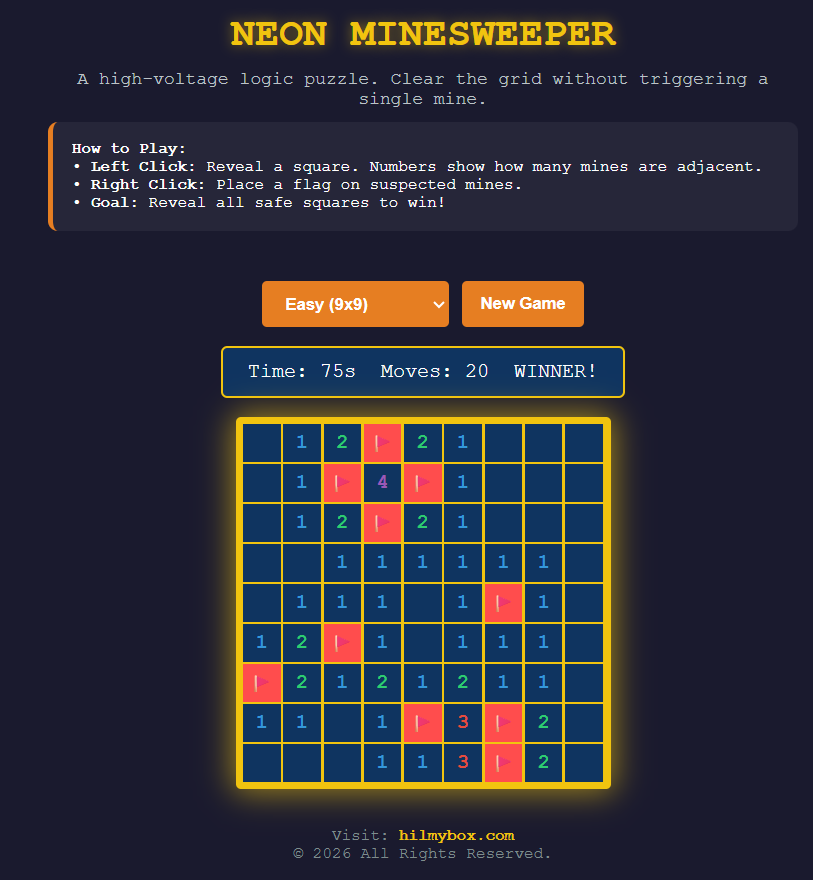
Challenge your logic with Neon Minesweeper. Featuring a sleek cyberpunk aesthetic and responsive gameplay, this browser-based puzzle brings the classic "detonate or survive" mechanics into a glowing modern grid.
Click here to access.
1. The Core Engine
The core engine is the JavaScript logic that manages the game state and rules. It follows a state-driven architecture:
- Grid Initialization: The
initGame()function acts as the constructor, setting up a 2D array (board) where each object contains properties likemine,revealed, andcount. - Game Logic: The engine handles the classic Minesweeper recursive "flood-fill" algorithm through the
reveal()function. If a cell has 0 neighboring mines, it automatically triggers a reveal of all adjacent cells. - State Management: It tracks variables for
gameOver,timerInterval, andmovesto determine win/loss conditions (e.g., checking if the number of unrevealed non-mine cells is zero).
2. Rendering Technology
This application uses DOM-based rendering combined with CSS Grid. Unlike a <canvas> element where pixels are drawn, this code creates individual HTML elements for every game cell.
- CSS Grid Layout: The
display: grid;property on the#boardelement allows the engine to dynamically set columns usinggridTemplateColumns. This ensures the grid stays perfectly aligned regardless of difficulty (Easy vs. Hard). - Dynamic Styling: The renderer uses CSS Custom Properties (Variables) like
--cell-bgand--grid-glowto maintain a consistent "Neon" aesthetic. - Class Switching: When a player interacts, the engine updates the view by toggling CSS classes (
.revealed,.mine,.flagged), which triggers immediate visual changes in the browser.
3. Mathematical Tools
The math in this code is primarily focused on Coordinate Geometry and Probability:
- Randomization: The
Math.random()andMath.floor()functions are used to distribute mines across the grid coordinates, ensuring no two games are identical. - Neighbor Detection: The
getNeighbors(r, c)function uses a nested loop to calculate a Moore Neighborhood (the 8 cells surrounding a center point). It uses boundary checking to ensure the logic doesn't look for cells outside the grid (e.g.,board[r+i]must exist). - Grid Mapping: A 1D-to-2D mapping logic is used to convert the flat list of mines into a coordinate system (r, c) for logical processing.
4. Front-End Environment
The front-end is designed as a Responsive Web App (RWA), optimized for both desktop and mobile devices.
- Event Handling: It employs a sophisticated event listener system. On desktop, it listens for
onmousedown(left vs. right click). On mobile, it usestouchstartandtouchendwith asetTimeout(600ms) to simulate a "long press" for flagging. - Viewport Management: The
.viewport-areausesoverflow: autoand-webkit-overflow-scrolling: touch, allowing users to "pan" around larger grids (like the Hard difficulty) on small phone screens. - UI/UX Elements: It includes a "Stats Bar" for real-time feedback (Timer and Move counter) and a "Difficulty Selector" that resets the engine state upon change.