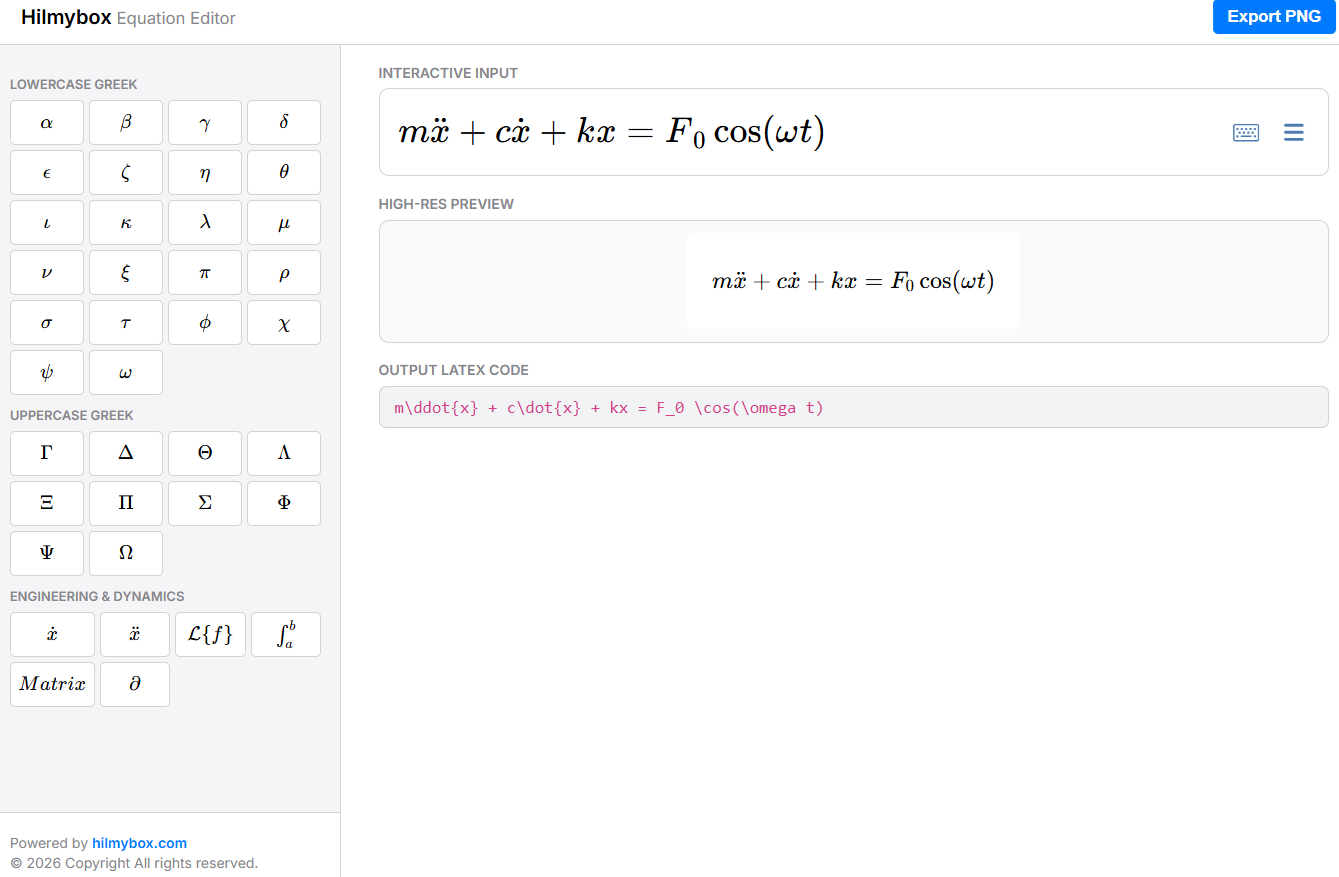
A WYSIWYG math editor with engineering symbol shortcuts, built for the lecture-prep workflow at HCT Fujairah.
Every engineering lecturer writes equations. Lots of them. Damping ratios, angular velocities, Laplace transforms, partial derivatives — the daily currency of teaching mechanical engineering. The tools available for writing those equations are, depending on what you want them for, either too heavy (full LaTeX editors with project management) or too light (Word's equation editor, which lacks half the symbols I need).
The Hilmybox Equation Editor is what I built for myself.
Try it here — runs in any modern browser, exports equations as high-resolution images ready for slides and papers.
Who this is for
The audience is engineering lecturers and graduate students who write equations regularly. Mechatronics teachers reaching for Greek letters and overdots. Researchers preparing figure equations for journal submission. Anyone who has fought Word's equation editor for the fourth time this week and wants something that just works.
How it works
You type math the way you'd write it on a whiteboard. The editor accepts both LaTeX syntax and direct symbol input — type \omega or click the omega button, either works. The full Greek alphabet is one tap away. Common engineering operators (overdots for time derivatives, partial derivatives, Laplace transforms, matrix structures) live in a sidebar of buttons that insert the right LaTeX at your cursor position.
When you're ready, hit Export. The equation renders at high resolution (effectively 300 DPI) and downloads as a clean PNG with a transparent background. Drop it straight into a slide deck, a journal figure, or an exam paper. No more screenshotting a Word window and hoping the pixels survive printing.
The core idea
The principle is that a tool designed for one specific workflow can be much better than a tool designed for everything. Generic equation editors try to serve every discipline. They have notation for chemistry, statistics, music theory, formal logic. The breadth makes them slow to navigate when what you actually need is the same fifty symbols you write every day in dynamics class.
The Hilmybox editor has only those fifty symbols. They're organised the way an engineering lecturer organises them. The export pipeline produces only the format I actually use (high-DPI PNG). The interface is compact enough to keep open in a sidebar while preparing a slide deck. Specialised tools, used by specialists, are usually faster than general-purpose ones. This is one of those tools.
The moment the equation becomes a slide
The reason for building this is a moment that happens twenty minutes before a lecture starts. You realise you need one more equation for the next slide. You open the editor, type it in, click Export, drag the resulting PNG onto your slide. Total time: thirty seconds. The same task in Word would have taken three minutes of formatting frustration and produced a pixelated equation. Multiply by the number of lectures in a semester, and the time savings start to compound.
What this is
A specialised LaTeX editor built for one specific workflow — preparing engineering lecture material — that does that one workflow better than the generalist tools. Free, browser-based, no account required. The equations you produce belong to you.
Coming next
A tutorial article and YouTube video are in production: how this editor was built with AI coding agents, covering the WYSIWYG integration, the export pipeline, and the engineering-symbol mapping. Subscribe for when it ships.