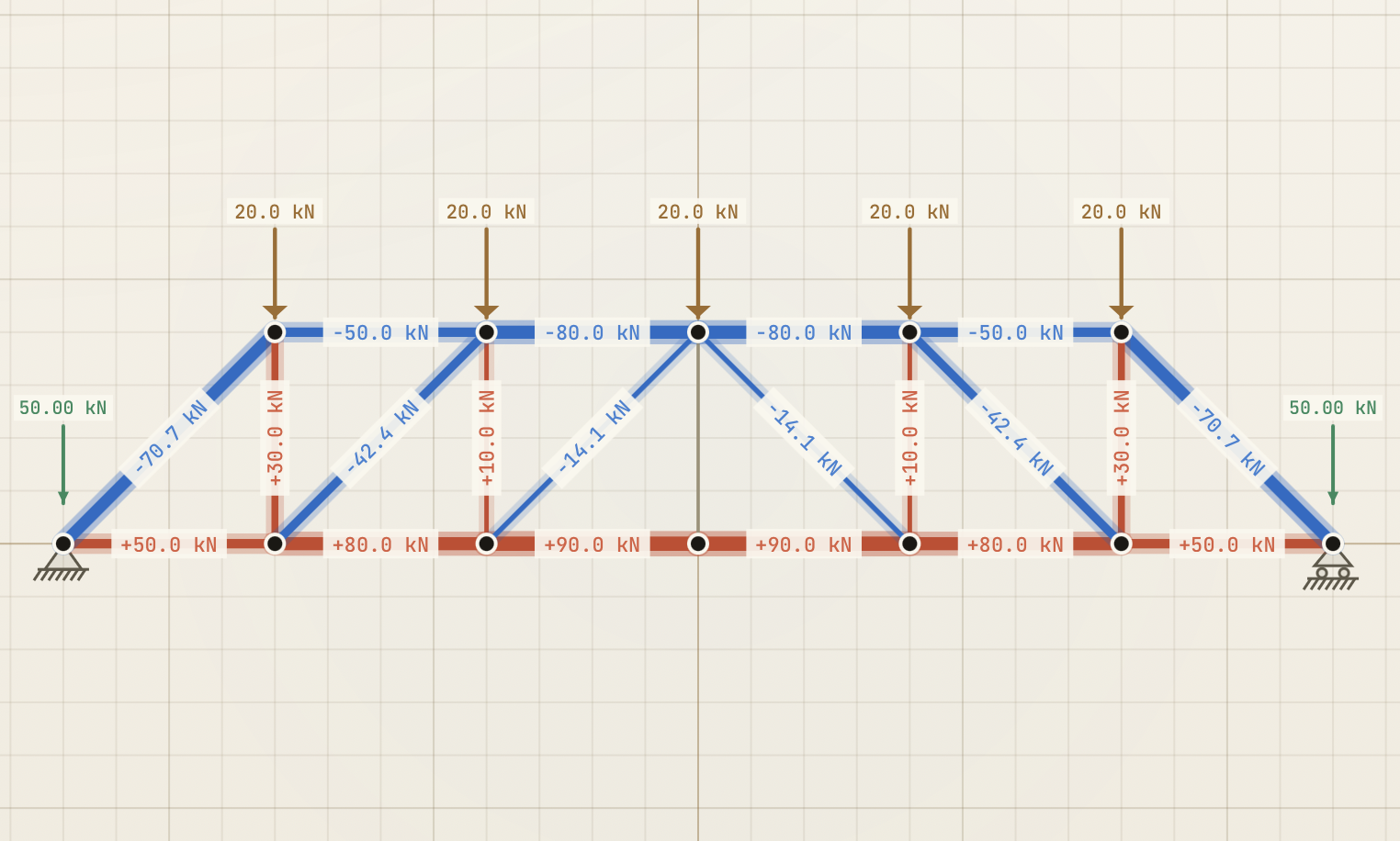
A browser-based truss solver using the Direct Stiffness Method — the same math that runs inside SAP2000 and RISA.
Most free truss calculators on the web are toys. They take a sketch, push it through a hand-coded method-of-joints, and spit out a number per member. The moment a truss has more than a handful of bays — or a single redundant brace, or an asymmetric load case — they start refusing the job, hiding the math, or asking for a paid tier.
Tensile is different. It runs the same matrix method that's inside the commercial software my students will eventually use — the Direct Stiffness Method — and it runs it in the browser, with no account, no paywall, no nonsense.
Try it here — runs in any modern browser, ships as one HTML file you can save and use offline.
Who this is for
The audience is anyone analysing trusses for real. Structural engineering students learning the Direct Stiffness Method for the first time. Practising engineers doing a quick sanity check before opening their licensed software. Lecturers building examples for class. Self-taught engineers who can't justify a commercial license for one truss.
How it works
You sketch the truss on screen — drop joints, connect them with members, pick supports, add loads. The interface looks like a drafting table because that's what truss design used to be: a piece of paper and a sharp pencil.
You hit Solve. In milliseconds you get three things: the axial force in every member (colour-coded — tension in warm orange, compression in cool blue, line thickness scaled by magnitude so the load path reads at a glance), the reaction forces at every support, and an animated visualisation of how the truss would deform under the applied loads. The deformed view pulses gently, making the load path intuitive to see.
The tool also runs a live determinacy check as you build — telling you whether your truss is statically determinate, indeterminate, or a mechanism — so you know whether what you're drawing is solvable at all.
The core idea
The principle is that the right tool for teaching is the same tool engineers actually use. The method of joints, taught in every introductory statics course, works for simple symmetric trusses and breaks the moment anything interesting happens — redundant bracing, asymmetric loads, complex topology. The Direct Stiffness Method handles all of those cases in one consistent framework, and it's the foundation of every serious commercial structural package.
Students should learn it. Tools that hide it behind a paywall or simplify it into a toy version aren't teaching — they're advertising for the day a student becomes a working engineer and finally pays for the real thing.
Tensile assembles the global stiffness matrix from scratch, applies boundary conditions cleanly, and solves the linear system with a numerically-stable method. It's the same math, validated against textbook cases, with no external libraries hiding behind the curtain. The math is the tool.
The moment the load path becomes visible
The reason for building this is a moment that happens once you stop computing forces and start seeing them. You add a load to a truss, and the colour-coded members snap into the right pattern: an arc of orange along the bottom chord, a line of blue across the diagonals, the load travelling visibly from the point of application down to the supports. The deformed view pulses, and you can see the truss take the load — sag where it's flexible, hold where it's stiff.
That moment is the bridge between learning truss analysis and understanding truss design. Students who have computed a hundred member forces by hand still need to see the picture before the picture lives in their head. Tensile gives them the picture.
What this is
Tensile is a real engineering tool. The math is the math the commercial packages use. The numbers are accurate. The interface is sharp enough to use professionally and clean enough to use pedagogically. It ships as one HTML file you can save to a USB stick.
It's also a quiet argument that the gap between teaching tools and real engineering tools is unnecessary. Tensile is both, because the same method serves both.
Coming next
A tutorial article and YouTube video are in production: a walkthrough of how Tensile was built with AI coding agents — the stiffness assembly, the rendering pipeline, and the design choices that make the tool feel like a drafting table rather than a calculator. Subscribe for when it lands.