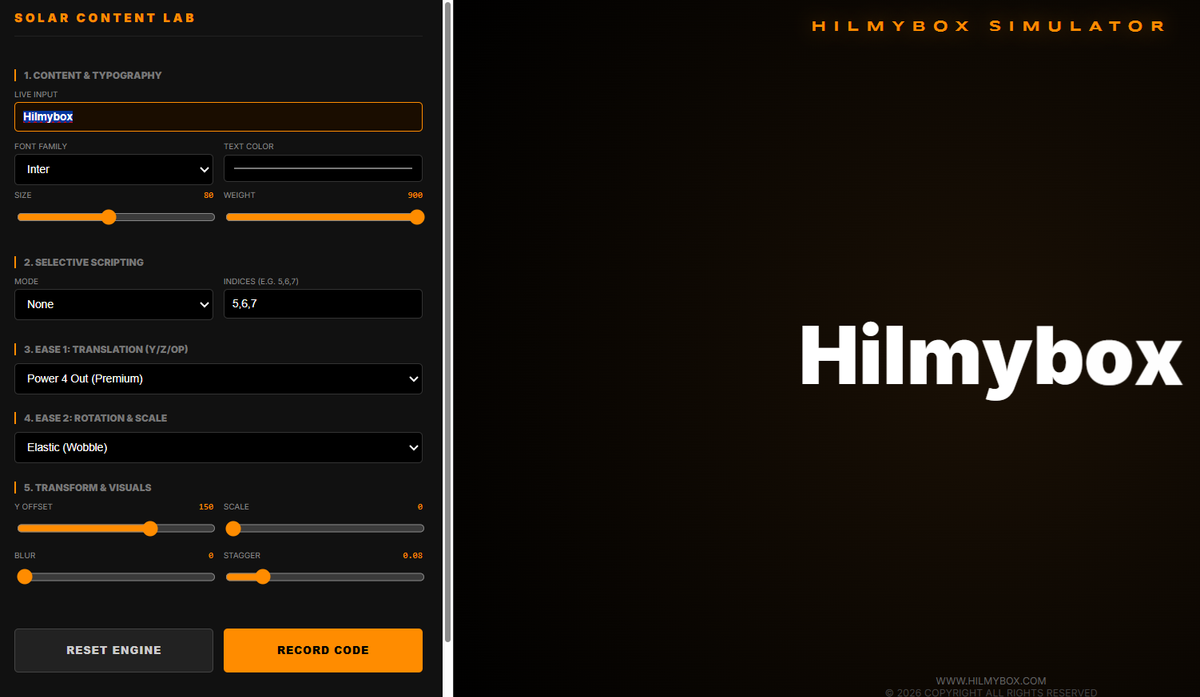
A playground for animating individual characters with easing curves, 3D rotations, and stagger timing.
There's a particular kind of polish that good motion design adds to a website or an app — letters that drift in from above, that snap into place with the right kind of overshoot, that stagger their entrance so the eye reads them in sequence. Done well, the effect is invisible. Done badly, it looks like a mid-2000s Flash intro.
The difference between well and badly is almost entirely about easing: the mathematical curve that describes how something moves from one state to another. Linear easing looks robotic. Power-curve easing looks natural. Spring physics looks alive. The right easing for the right context is a craft that good designers learn slowly, mostly by experiment.
This is the playground I built to make the experimentation faster.
Try it here — runs in any modern browser, no install.
Who this is for
The audience is motion designers, front-end developers, typography enthusiasts, anyone who builds web interfaces and wants to develop better intuition for animation curves. Or anyone who finds it strangely satisfying to watch text fly in from random directions.
How it works
You type a phrase. The lab breaks it into individual characters. A panel of sliders lets you set the parameters of the animation: starting position offset (X, Y, Z), rotation amount around each axis, easing curve, duration, stagger delay between characters, randomisation seed. Hit Play. Each character animates from its starting state to its final position in the phrase you typed, with the curve and timing you chose.
Change a parameter. Hit Play again. The animation re-runs with the new settings. Watch what changes. Adjust again. The whole point is the rapid feedback loop between parameter and visible motion.
The core idea
The principle is that animation curves are a kind of physical intuition that has to be developed by seeing, not by reading. A textbook can tell you that a Power4.easeOut curve decelerates faster than a Power2.easeOut. The number "4" versus "2" means very little until you've watched both and felt the difference in your gut. Once you've watched fifty of these, the easing decision in your next motion-design project stops being a guess and starts being a choice.
The lab is built to compress that feedback loop. The animation parameters are exposed directly as sliders. The rendering is GPU-accelerated so the motion stays smooth even at sixty characters moving simultaneously. The stagger logic can be linear, random, or weighted by position in the phrase. Easing curves cover the standard library — Power, Back, Elastic, Bounce — and combinations of them.
The moment the right easing becomes obvious
The reason for building this is a moment that happens after about twenty experiments. You stop guessing which curve will look "right" and start knowing. Headings want Back-out easing because a slight overshoot reads as confident. Body text wants Power2-out because it's a quieter movement. Spring physics is right for playful, wrong for professional. These are aesthetic judgments, but they become fast aesthetic judgments once you've watched enough animations to internalise them.
That's what the lab is for: building the internalised library by accelerating the watching.
What this is
A motion design playground. Not a production tool, not a library, not a framework. Just a fast feedback loop between parameter adjustment and visible motion, so you can develop the eye for animation curves without spending six months adjusting them on real projects.
Coming next
A tutorial article and YouTube video are in production: how this lab was built with AI coding agents, covering the animation timeline, the character-splitting logic, and the easing function library. Subscribe for when it ships.