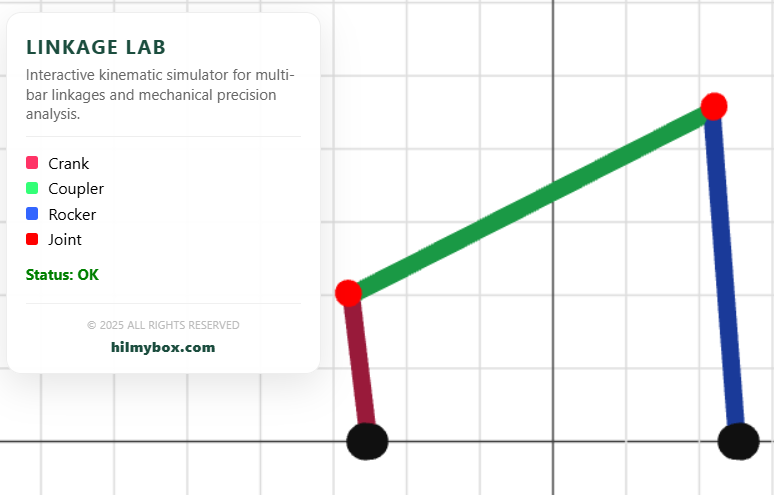
An interactive sandbox for multi-bar linkages and piston-crank mechanisms — built for the moment a student finally sees how the four-bar linkage produces its motion.
Mechanism design is one of the older corners of mechanical engineering, and one of the most beautiful. A four-bar linkage produces complicated curves from four simple rotations. A slider-crank converts rotation to linear motion through nothing but bars and pivots. The math is well-established. Watching the math become motion is what makes students fall in love with the subject.
Linkage Lab is a small browser-based simulator for that watching. Click here to access.
What it is
A real-time visualiser for mechanical linkages. Choose a configuration — four-bar, slider-crank, multi-bar — adjust the link lengths and joint positions, drive the input crank, watch the entire mechanism move. The output traces the coupler curve as the mechanism rotates.
The aesthetic is a clean technical blueprint — thin cylindrical bars, geometric pivots, the trace of the coupler point drawing itself out as you rotate the input.
What stayed with me
This was an early experiment in procedural geometry driven by mathematical state. The bars aren't pre-modelled assets — they're rebuilt every frame from the current joint positions. Change the link lengths, and the bars re-scale; change the input angle, and they re-orient. The geometry exists to express the math, rather than being decorated by it.
That principle showed up later in the FEM beam tools (Tension & Moment), the truss analyser (Tensile), and the vibration labs — every visualisation in those tools is procedurally generated from the underlying engineering math. Linkage Lab was where I learned the pattern.
Part of the early experiments — the foundation for the procedural-geometry approach used in the later engineering tools.