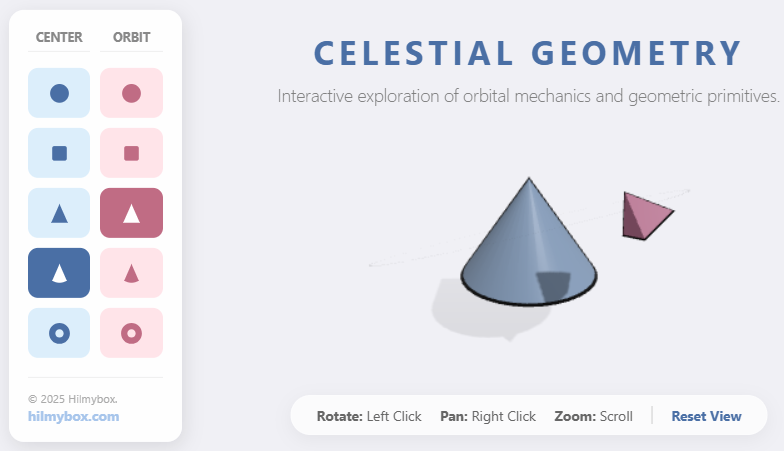
A small experiment in choreographing rotation and orbit — built for the satisfaction of watching two shapes dance.
Some experiments don't aim to teach anything. They exist because the visual is interesting and the controls are satisfying.
Geometric Harmonics is one of those. A central mass, a satellite, and a small dashboard of icon-driven controls that let you adjust the relationship between them: orbit speed, satellite size, rotation. The motion is mathematical — a pivot drives a child object around a circle — but the experience is purely aesthetic. You change parameters; the shapes respond; the harmonics shift. Click here to access.
What it is
A minimalist 3D playground for orbital choreography. Pick a central shape, pick a satellite, adjust the relationship. No goal, no score, no scoring at all. The dashboard is what makes it usable — small icons replacing the usual flood of sliders, so the interface stays clean.
What stayed with me
Two design lessons I kept reaching for in later projects.
The first was the pivot trick: rather than computing complex orbital positions for the satellite, you parent it to an invisible pivot and rotate the pivot. The orbit emerges for free. That technique appears in half a dozen of the projects that came after, including Umbra and Lattice.
The second was icon-driven dashboards instead of slider-heavy panels. A row of small graphical buttons fits more controls in less space, and once a user learns the icons, the interface becomes faster. The aesthetic became part of the hilmybox visual identity, showing up in everything from briques to Townscape.
Part of the early experiments — small studies that taught me techniques I kept reusing.